> ## Documentation Index
> Fetch the complete documentation index at: https://docs.flamedeck.com/llms.txt
> Use this file to discover all available pages before exploring further.
# Introduction
> Welcome to FlameDeck - AI-Powered Performance Analysis
 **Early Development Notice** - FlameDeck is currently in early development. While we strive for stability, some APIs and features may change as we continue to improve the platform. We'll do our best to communicate any breaking changes in advance.
## Welcome to FlameDeck
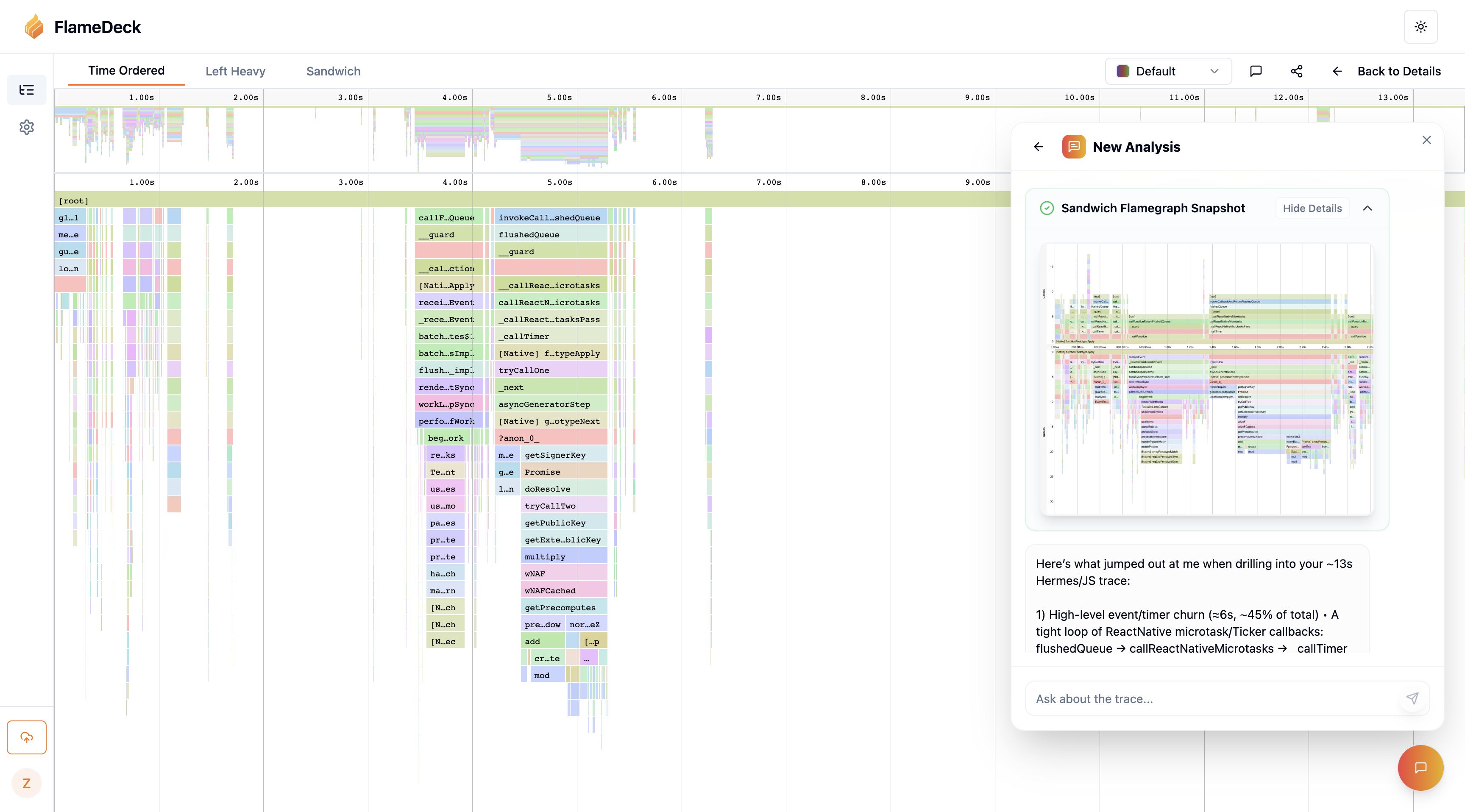
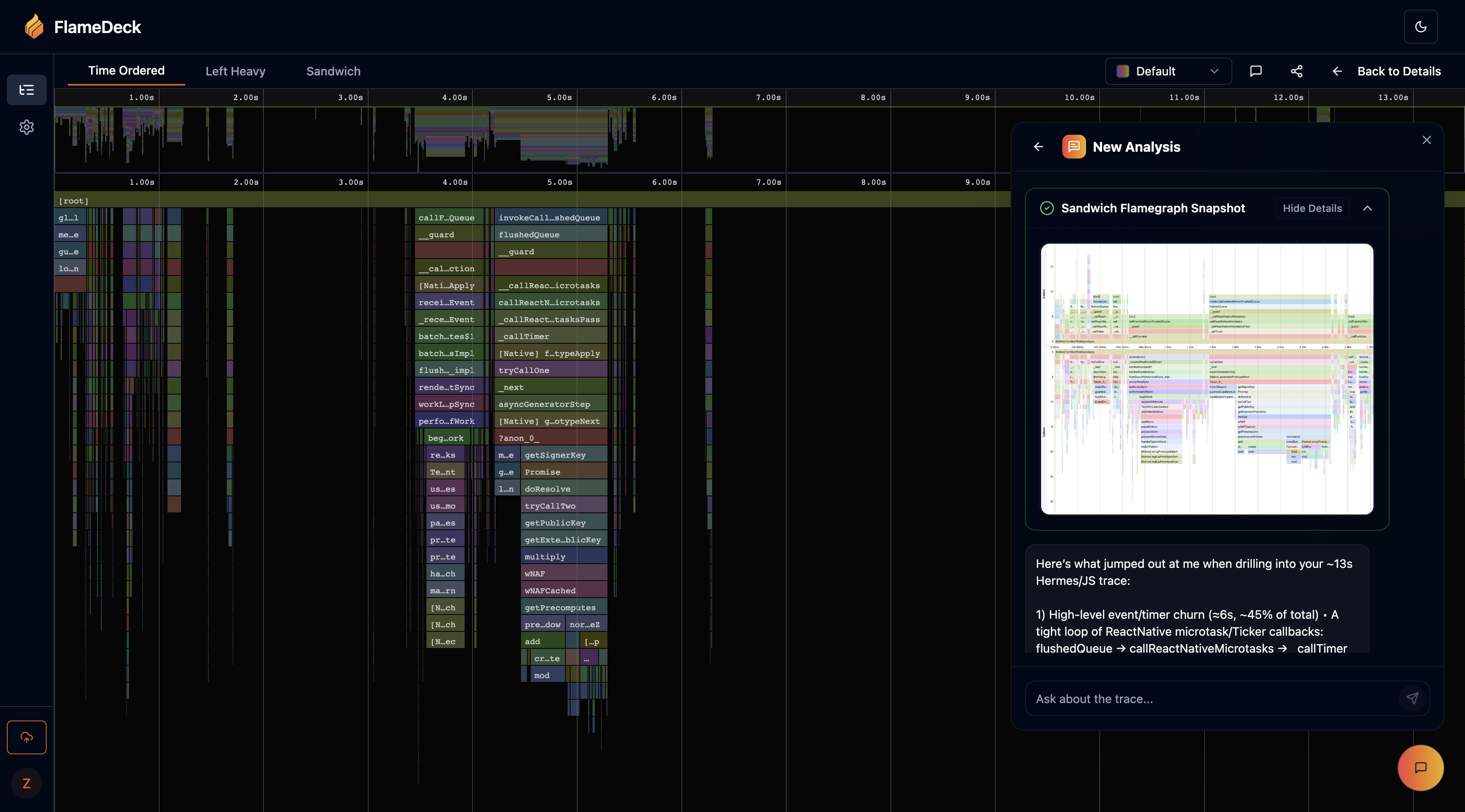
FlameDeck is a collaborative platform for storing, analyzing, and debugging performance traces. Upload your profile once, explore it anywhere, and share insights with your team—all in one place.
## Key Capabilities
Import traces from Node.js, Go, Rust, Python, Chrome, React Native, and many more
Timeline, Left-Heavy, and Sandwich flamegraphs powered by Speedscope with smooth, hardware-accelerated rendering
Ask questions in plain English, automatically detect bottlenecks, and receive actionable optimization recommendations
Comment on frames, share public links, and control permissions to keep everyone on the same page
## Developer-Friendly Workflows
FlameDeck is built for engineering teams with powerful integrations:
* **Drag-and-drop uploads** in the browser for quick analysis
* **First-class CLI & REST API** for seamless automation
* **CI/CD integration** for continuous performance monitoring
* **Multiple upload methods** to fit your existing workflow
## What You'll Learn
This documentation will help you integrate FlameDeck into your workflow:
Set up authentication to start uploading traces
Use our command-line interface for quick uploads
Programmatically upload from JavaScript/TypeScript projects
Profile React Native applications
## Getting Started
The fastest way to get started is to:
1. **[Get an API key](/api-keys)** - Set up authentication for your account
2. **Choose your upload method** - CLI, NPM package, or React Native integration
3. **Start profiling** - Upload your first trace and explore the collaborative features
4. **Leverage AI insights** - Ask questions about your performance data in plain English
## Need Help?
If you have questions or need support, feel free to reach out:
* Email us at [support@flamedeck.com](mailto:support@flamedeck.com)
* Join our community discussions
* Check out our GitHub repository
Let's get started! 🚀
**Early Development Notice** - FlameDeck is currently in early development. While we strive for stability, some APIs and features may change as we continue to improve the platform. We'll do our best to communicate any breaking changes in advance.
## Welcome to FlameDeck
FlameDeck is a collaborative platform for storing, analyzing, and debugging performance traces. Upload your profile once, explore it anywhere, and share insights with your team—all in one place.
## Key Capabilities
Import traces from Node.js, Go, Rust, Python, Chrome, React Native, and many more
Timeline, Left-Heavy, and Sandwich flamegraphs powered by Speedscope with smooth, hardware-accelerated rendering
Ask questions in plain English, automatically detect bottlenecks, and receive actionable optimization recommendations
Comment on frames, share public links, and control permissions to keep everyone on the same page
## Developer-Friendly Workflows
FlameDeck is built for engineering teams with powerful integrations:
* **Drag-and-drop uploads** in the browser for quick analysis
* **First-class CLI & REST API** for seamless automation
* **CI/CD integration** for continuous performance monitoring
* **Multiple upload methods** to fit your existing workflow
## What You'll Learn
This documentation will help you integrate FlameDeck into your workflow:
Set up authentication to start uploading traces
Use our command-line interface for quick uploads
Programmatically upload from JavaScript/TypeScript projects
Profile React Native applications
## Getting Started
The fastest way to get started is to:
1. **[Get an API key](/api-keys)** - Set up authentication for your account
2. **Choose your upload method** - CLI, NPM package, or React Native integration
3. **Start profiling** - Upload your first trace and explore the collaborative features
4. **Leverage AI insights** - Ask questions about your performance data in plain English
## Need Help?
If you have questions or need support, feel free to reach out:
* Email us at [support@flamedeck.com](mailto:support@flamedeck.com)
* Join our community discussions
* Check out our GitHub repository
Let's get started! 🚀